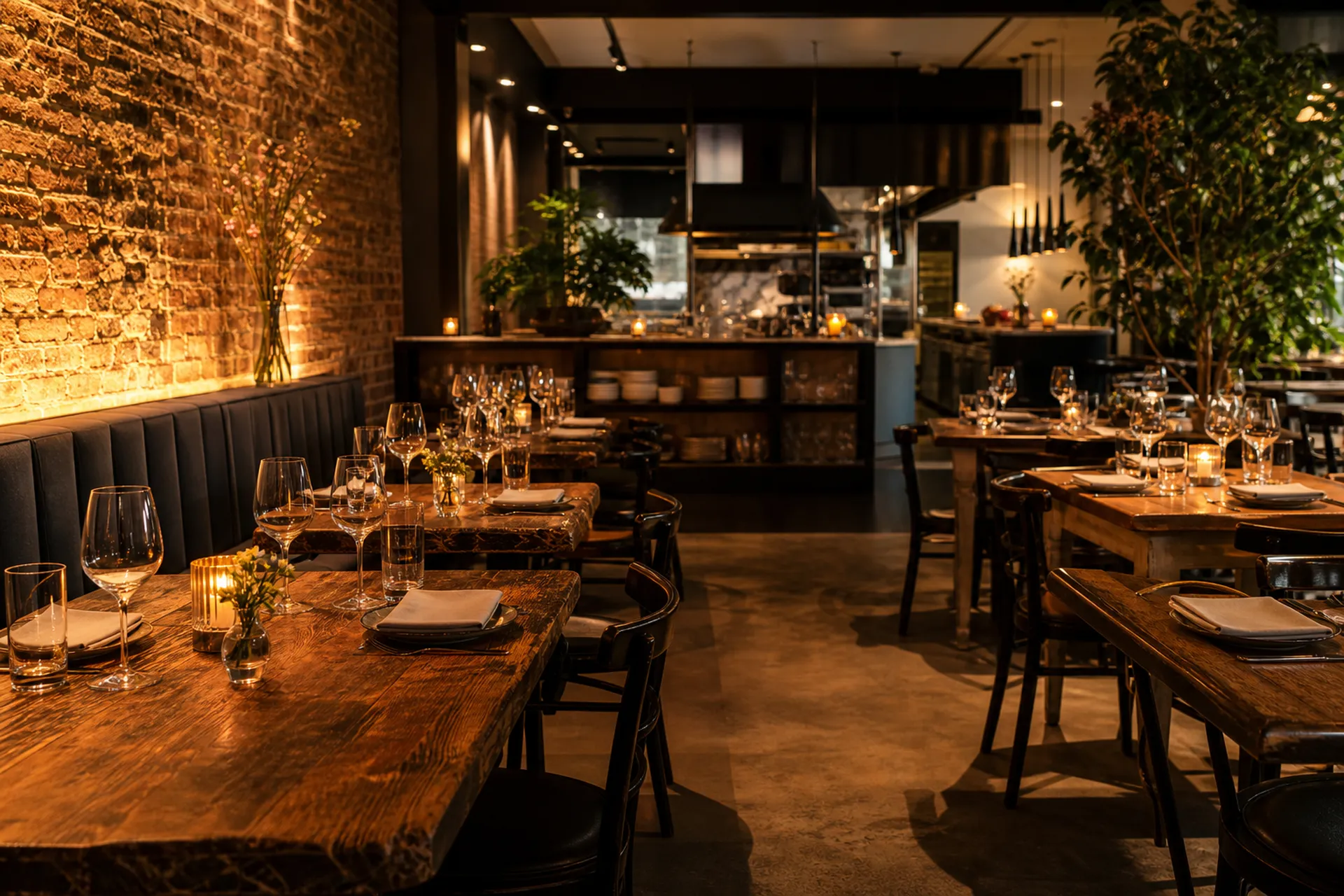
Guests walk into your venue, choose a table and book that very one
A 360° tour of your restaurant where the AI assistant welcomes whoever arrives, tells them about the dining room and the menu, checks the sittings and the tables that are really free, and takes the booking by talking, by voice or in chat. During service, the phone stops ringing.
Four things that cost more than they seem
The phone at 8:30 pm
It rings as you come out of the kitchen with two plates in your hands. Either you don't answer and the table goes to another restaurant, or you answer badly.
The booking book
A crossed-out line, a misspelt name, two tables at the same time. And if the book isn't in the dining room, the booking doesn't exist.
No-shows
Four covers left empty on a Saturday night are a table you would have given to someone else, and nobody remembers it on Monday.
The regular you don't recognise
Who comes every month, who's coeliac, who always celebrates in June: things only whoever was in the dining room that evening knows.
Your venue gets visited at eleven at night, from the sofa
The tour link is on your Google profile, in your bio, on the QR in the window. Whoever opens it doesn't download anything or sign up: they walk in. They move between the tables, look out onto the terrace, open the menu. And when they find the spot they like, they book that one — by talking.
-
01
Walk in and look around
The tour is your venue scanned in 3D: the real dining room, the real light, the vaulted ceiling and the table at the back everyone asks for. You turn with your finger, on your phone, without installing anything.
-
02
Tap the table you like
On the tables you've linked to a point in the scene there's a dot. They tap it and see exactly that table: how many covers it seats and what it's like — secluded, by the window, under the pergola. You wrote the features yourself in the dining room map.
-
03
Ask the way you'd ask a person
By voice or in writing: "Saturday night for two, somewhere quiet". The assistant answers out loud, lets itself be interrupted and changes its mind along with them, just like the person who answers the phone when they have time.
-
04
The assistant checks the real calendar
It doesn't answer from memory and can't make things up: it queries your sittings, the table duration, the reset time, the closures. If that table is taken at 9 pm it says so, and suggests the times that are really available, as buttons to tap.
-
05
It closes, and the booking is already in the dining room
Name, phone and email in a form inside the conversation. Then the confirmation card with code and QR, the email to the guest, and the booking appears on the right table in your dining room map. Nobody picked up the phone.
Reconstruction of the interface: the time chips, contact form and confirmation card are those of the product.
In the tour, the clickable tables are those you've attached a point in the scene to, and you link them yourself from the dining room map in a few minutes. The others can still be booked, but they don't show up in the tour: a missing dot is worse than no dot at all.
The assistant can't answer about availability on its own: it has to ask the venue's calendar and reports what it finds. If your sitting is full, it says it's full.
Above the cover threshold you set, online booking doesn't close: the assistant collects the request and passes it to you. A table for twenty is arranged by talking.
Your venue, the way you picture it
No forms to fill in: the dining room is your dining room, the sittings are your sittings, the menu is your menu.
A map of your dining room, not a list
You create the areas — main room, terrace, small room — and place the tables with minimum and maximum covers. To each table you attach the features that really matter when someone asks for "a quiet table by the window": corner, view, accessible, by the fireplace. Tables can be joined in groups for large parties, and every room is already a space in the virtual tour.
- Areas, tables, covers and features set by you
- Join groups for large tables
- Every room linked to the matching point in the 360° tour
The evening at a glance on one screen
Who's arriving, at what time, how many and where you'll seat them. Bookings are confirmed with a tap, moved to another table, cancelled. And when your hands are full, you dictate the booking: the AI understands day, time, covers and preferences and writes it for you, asking for confirmation before saving.
- Booking dictated in natural language, with confirmation before saving
- Automatic or manual table assignment
- Automatic reminder to guests the day before
Sittings, closures and events
You set lunch and dinner sittings day by day, with the last seating and the cover limit. You mark closures — Mondays, holidays, your cousin's wedding day — and nobody can book on those dates. Events (the jazz night, the Valentine's menu) appear on the public page and the AI assistant tells anyone who asks about them.
- Sittings with last seating, table duration and reset time
- Special closures and blocks on individual tables
- Monthly view with covers and occupied tables, day by day
A page that takes bookings while you're in the kitchen
The venue has its own public booking address: you put it on your Google profile, on social media, on the QR code in the window. The times shown are the ones really available, calculated on your tables and your sittings. The same page can be embedded in your website as a widget, in your colours. The menu has its own public page, and you can load it by importing the PDF you already use.
- Instant confirmation or on your approval, as you prefer
- Widget to embed in your website, with authorised domains
- Digital menu with allergens, sections and import from PDF
- Guests change or cancel on their own, with a signed link
The dining room in real time, table by table
During service the list becomes a colour map: red for seated, yellow for arriving within 45 minutes, light blue for resetting, green for free. And when an occupied table is needed by someone who booked it, it turns purple: it flashes, goes into the reminder strip with the time by which it must be freed, and the tablet beeps. Walk-ins can sit at a booked table too: the occupation shortens by itself until the guests who booked arrive.
- Five colours, zero doubts: each table's status at a glance
- Purple warns you when a table must be freed: strip, countdown and beep
- Walk-ins in two taps, with the name going straight into your contacts
- It updates by itself while you work, without reloading anything
Good evening Anna, you were on the waiting list for Saturday: a place for 2 people at 9:00 pm has just become free.
The place is yours for 30 minutes: then the link expires and the table is offered to the next person on the list.
Cancellations fix themselves
Saturday full? You no longer lose the guest who wanted that very evening: the booking page and the AI assistant offer them the waiting list. At the first cancellation, the first in line gets an email with half an hour to confirm with a tap. No reply? The place passes to the next one, by itself, even at eleven at night. You see the queue in the service view, without lifting a finger.
- Sign-up from the public form or by talking to the assistant in the tour
- Automatic email at the first cancellation, confirmation with a tap
- If time runs out, the place passes to the next in line by itself
Guest profiles
Who booked, how many times they've come, how many times they didn't show up, what they don't eat, what they like. If they say "it's our anniversary" when booking, the occasion stays on the profile with its month. The notes you write are there the next time they call. Privacy consent is recorded with the text of that day — and consent to email invitations is a separate box, never pre-ticked. Data can be exported to CSV and anonymises itself at the deadline you choose.
How it's going
Covers per sitting, occupancy rate, strong and weak days, how many bookings come from the public page and how many from the tour. The AI reads the conversations with your guests and tells you what they ask most often, including the questions it couldn't answer. Every Monday the weekly summary arrives by email, with how many invitations were sent and how many guests came back.
The emails you should send yourself, but never have time for
You switch them on in the settings, and from then on they work on their own. They only write to those who ticked the invitations box, and never more than one message a month to the same person.
"How was last night?"
The morning after dinner, a single email with two paths. Went well? They end up at your review link — Google, TripAdvisor, wherever you like. Something went wrong? The comment reaches you privately, not on the internet: a phone call now is worth more than ten reviews.
"We haven't seen you for a while"
Those who came every two weeks and haven't been for two months get the reminder; those who came last week don't. The program works out the rhythm person by person, from their dinners: it isn't a newsletter fired at everyone, it's the message you'd send yourself if you noticed.
"A table to celebrate?"
If they said "it's our anniversary" when booking, the following year — a month before — the invitation to celebrate it again with you goes out. Birthdays, graduations, special occasions: the things only whoever was in the dining room that evening knows today, the CRM remembers for everyone.
Consent to invitations is a separate box, optional and never pre-ticked. Those who don't tick it receive nothing, ever.
The program keeps a record of every invitation: the same person never receives more than one message a month, whatever the reason.
In Monday's report: how many invitations went out and how many guests came back to book within thirty days. Numbers, not feelings.
Try the experience for yourself
Walk around the dining room, open the menu, ask the AI assistant and book the table you like. This is what your guests will see.
Try the experience for yourself
Walk around the dining room, open the menu, ask the AI assistant and book the table you like. This is what your guests will see.
Don't take our word for it: actually book
Osteria della Dimostrazione is a real demo venue, with its own dining room, sittings and menu. Book a table as one of your guests would: it takes ten seconds.
A fixed spot in the dining room for bookings
The management system runs on any screen, but the dining room needs a device that's always there, switched on, within reach of whoever greets the guests. We give it to you on free loan for the 24 months of the contract , already set up: switch it on and it's ready.
- Free loan, with a signed form and the device's serial number
- Delivered set up for your venue, with staff training
- Remains AIView360's property: you return it at the end of the contract
- Prefer your own? The management system is a web page: it works on the tablets and computers you already have
Three items, no surprises
The virtual tour
Site visit, professional 3D scan, post-production, publication. A 120 m² venue costs €240, just once.
The setup
The configuration of your restaurant's management system: the dining room with your tables and sittings, the menu loaded, the AI assistant trained with your venue's information. Then staff training and delivery of the tablet, already set up. On launch day everything is on and working.
The fee
- Restaurant CRM: dining room, calendar, bookings, menu and guests
- Tablet on loan for the duration of the contract
- Virtual tour with AI assistant, chat and voice
- 100 AI credits included every monthabout 1.000 chat messages or 50 voice conversations
- Matterport® hosting included, updates included
- Agreed minimum term: 24 months
Prices excl. VAT. The tour and the setup are paid only once.
Only need the showcase? If you're not interested in managing bookings, the showcase for a single venue at €29,90/month + VAT gives you the virtual tour with the AI assistant, without the management system and without the tablet. We'll tell you ourselves: it costs less and it's the right choice for many venues.
We'll call you back for the site visit and agree on the scan date.